BM Constructions - Automating a 9,000-worker back office
Role
Duration
Team
Platform
Key Metric 1
End-to-end UX and UI delivered on a structured sprint timeline
Key Metric 2
Dashboard, Workers, Clients, Timesheets, Payroll, MPF, Taxes, Invoices, and more
Key Metric 3
Payroll, MPF, taxes, and invoices calculated from timesheet entries - zero manual input
Summary
Overview
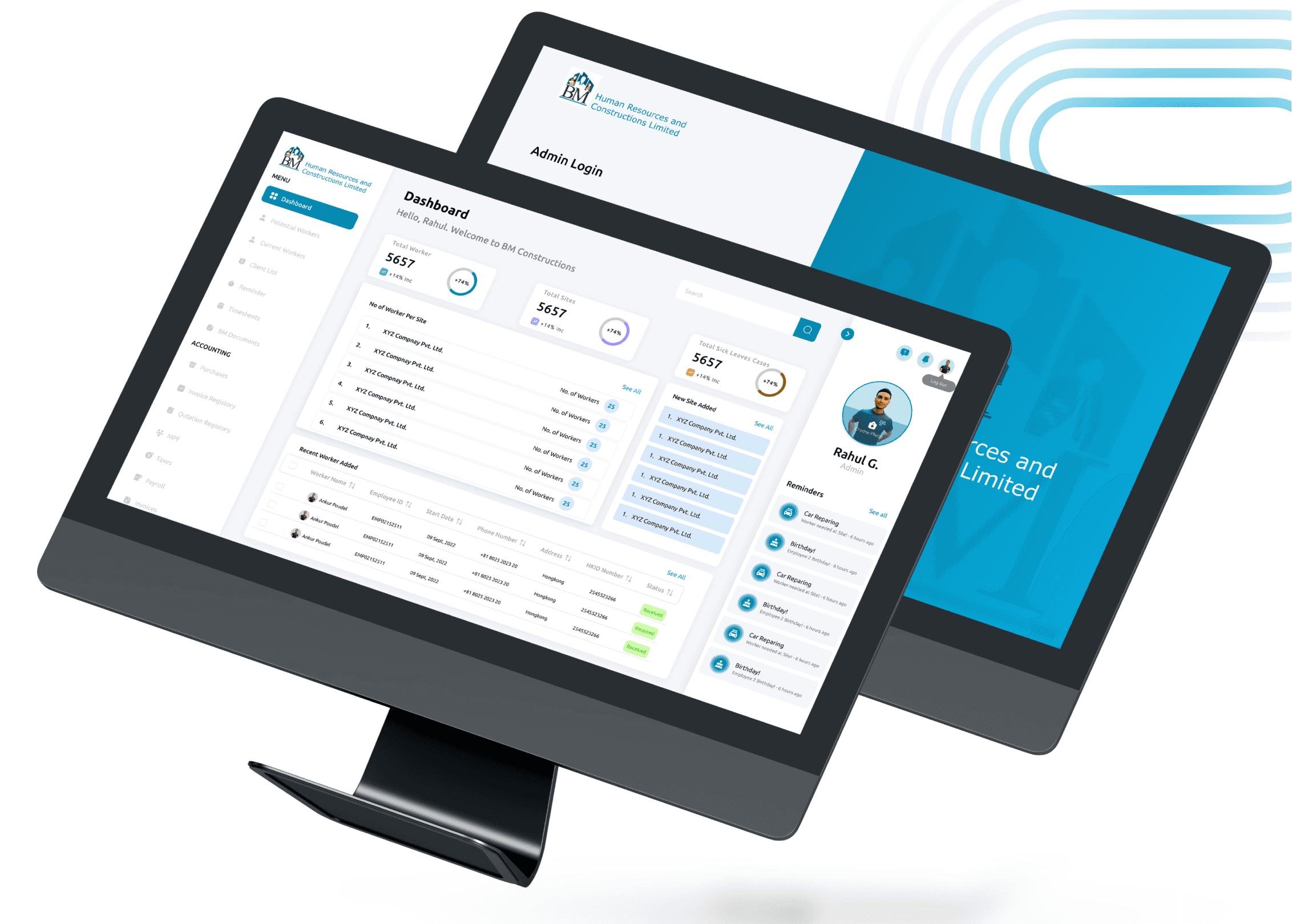
BM Human Resources & Constructions Limited was running a construction labour supply business in Hong Kong on spreadsheets, manual reminders, and a patchwork of disconnected tools. Payroll took hours. Invoice calculations were done by hand. Employee history lived in files nobody could search quickly. I designed a full admin dashboard from scratch, 12 modules covering everything from worker tracking and client management to automated payroll, MPF, tax calculations, and 30-day blast notifications, built to run the entire back-office operation without anyone doing the same task twice.
BM was running a 9,000-worker operation manually. This dashboard changed that.
Problem Framing
The Core Problem
Everything was manual and nothing connected. Site managers entered timesheets in one place. Payroll was calculated in another. Invoice and MPF calculations happened separately, with room for error at every step. Client records, employee histories, and leave tracking each lived in their own silo. The admin team was spending more time moving data between systems than actually managing the workforce.
Why it mattered
In construction labour supply, payroll errors and compliance gaps aren't just inconvenient, they're legally and financially consequential. MPF contributions, tax filings, and invoice accuracy are all regulatory requirements in Hong Kong. A manual system doesn't just slow things down, it creates real risk every pay cycle. BM needed a system that removed the human error surface entirely, not just a better spreadsheet.
Supporting data / evidence
User interviews and research surfaced eleven distinct operational needs, from blast notifications to potential employees, to timesheet-based payroll automation, to 30-day automated client invoice reminders. Every one of those needs was being handled manually or not at all. Competitive analysis of existing HR and labour management platforms showed that none handled the specific combination of construction site timesheet management, MPF automation, and multi-client billing that BM's operation required.
Role & Team
My Role
I owned the full design process across all twelve weeks research, empathy mapping, user personas, user journey mapping, goal definition, competitive analysis, information architecture, card sorting, user flows, paper wireframes, visual design, prototyping, usability testing, and iteration. Every module in the dashboard was designed, tested, and refined by me.
Team Composition
Solo designer. BM's founding team and admin staff provided operational context, workflow detail, and feedback across the research, wireframe, and testing phases.
Stakeholders & decision-makers
BM's leadership and admin team. Design reviews happened at each phase gate — strategy, wireframe, visual design, and usability testing with direct input from the people who would actually use the system daily.
Approach
Strategy & framework
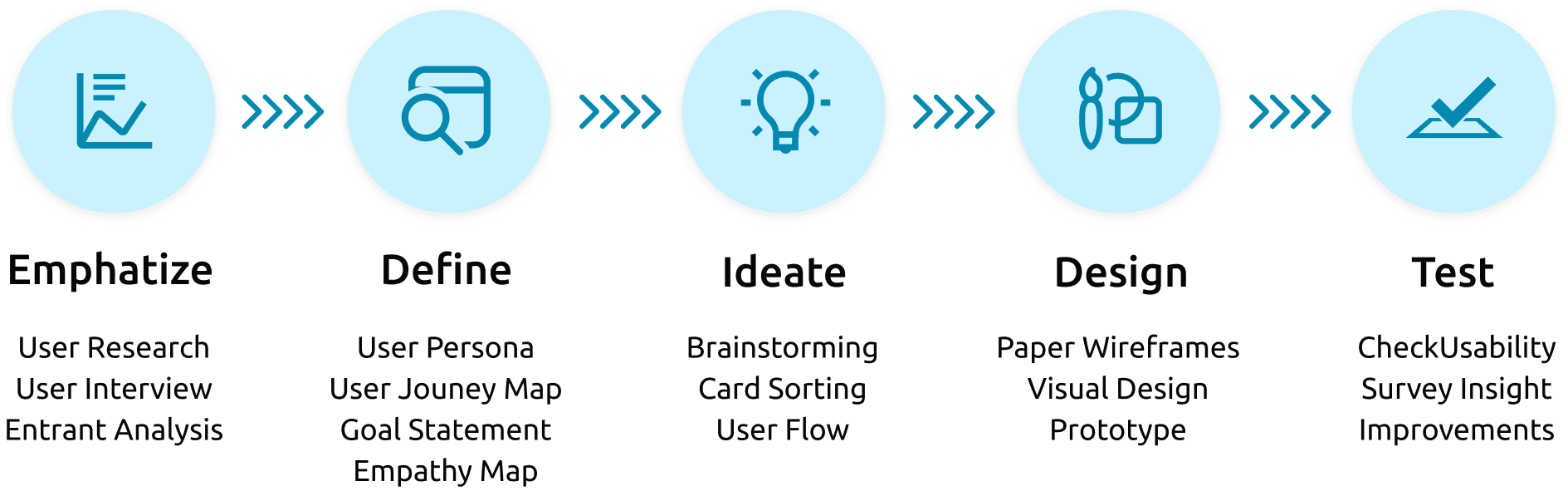
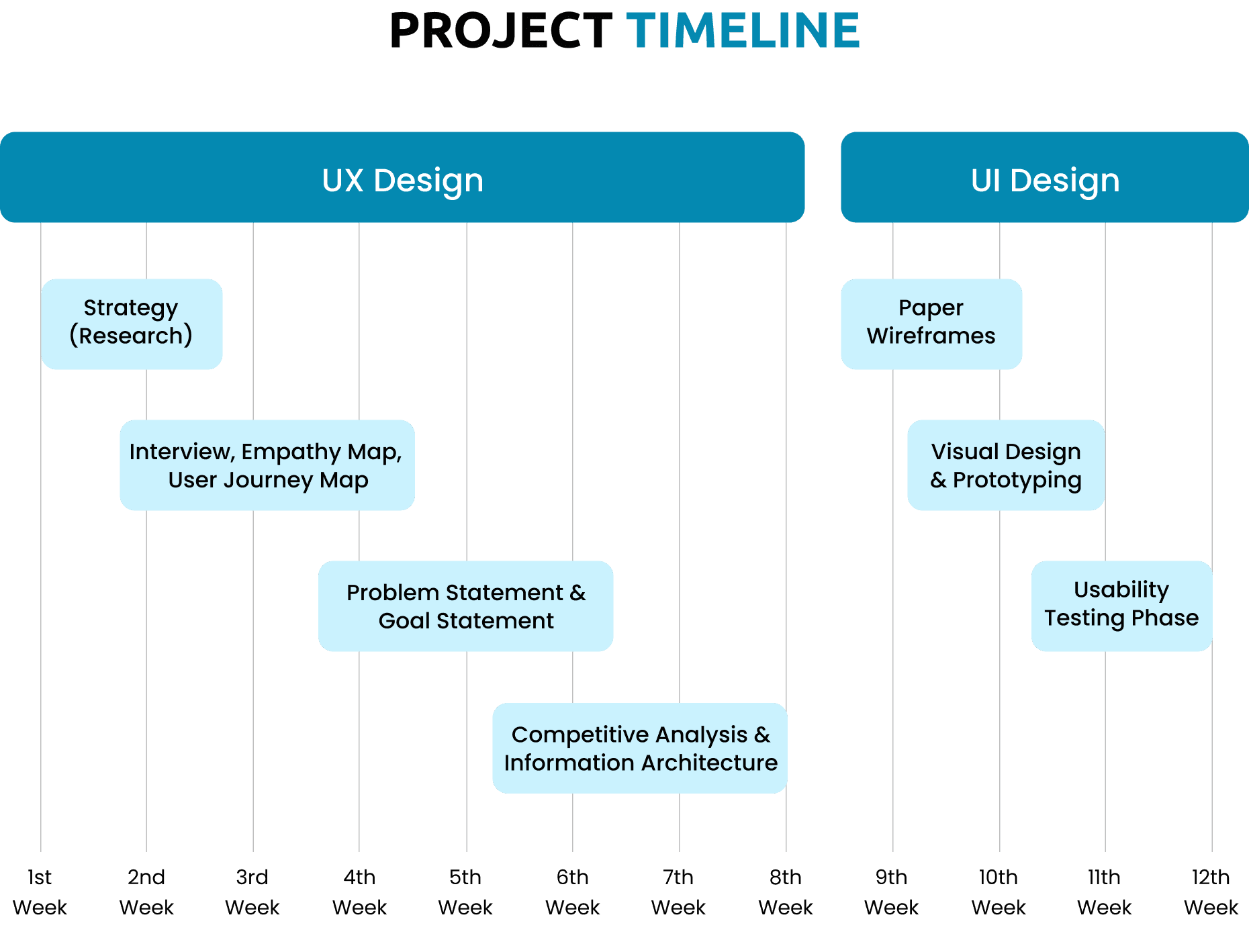
I followed the full design thinking process across a structured 12-week timeline Empathize, Define, Ideate, Design, Test with UX and UI phases running sequentially rather than in parallel. That sequencing was deliberate. An admin dashboard for a 9,000-worker operation has no room for layout decisions that haven't been validated against real workflows. Getting the information architecture right before touching visual design saved significant rework later.
Research methods used
User research and interviews with BM's admin team and site managers. Empathy mapping across key user types. User journey mapping for the three highest-frequency workflows employee onboarding, timesheet-to-payroll, and client invoice generation. Goal and problem statement definition. Competitive analysis of existing HR and construction management platforms. Card sorting to validate the information architecture before wireframing. Usability testing with survey insights and iterative improvements post-testing.
Key insight(s)
The timesheet was the centre of everything. Payroll, MPF, taxes, invoices all of it flows downstream from what the site manager enters each day. Once I mapped that dependency clearly, the entire dashboard architecture became obvious. The timesheet module wasn't just a data entry screen, it was the engine the whole financial side of the system ran on. Designing it with that in mind fast entry, clear OT fields, easy error correction changed how every module downstream was structured.
Challenges
Primary challenge
Designing a dashboard with 12 modules covering HR, accounting, inventory, payroll, MPF, taxes, invoices, and notifications without it collapsing into a menu-heavy system that nobody could navigate in under 30 seconds. At that scope, information architecture isn't a planning exercise, it's a survival requirement. One wrong grouping decision and the whole thing becomes a maze.
How I navigated it
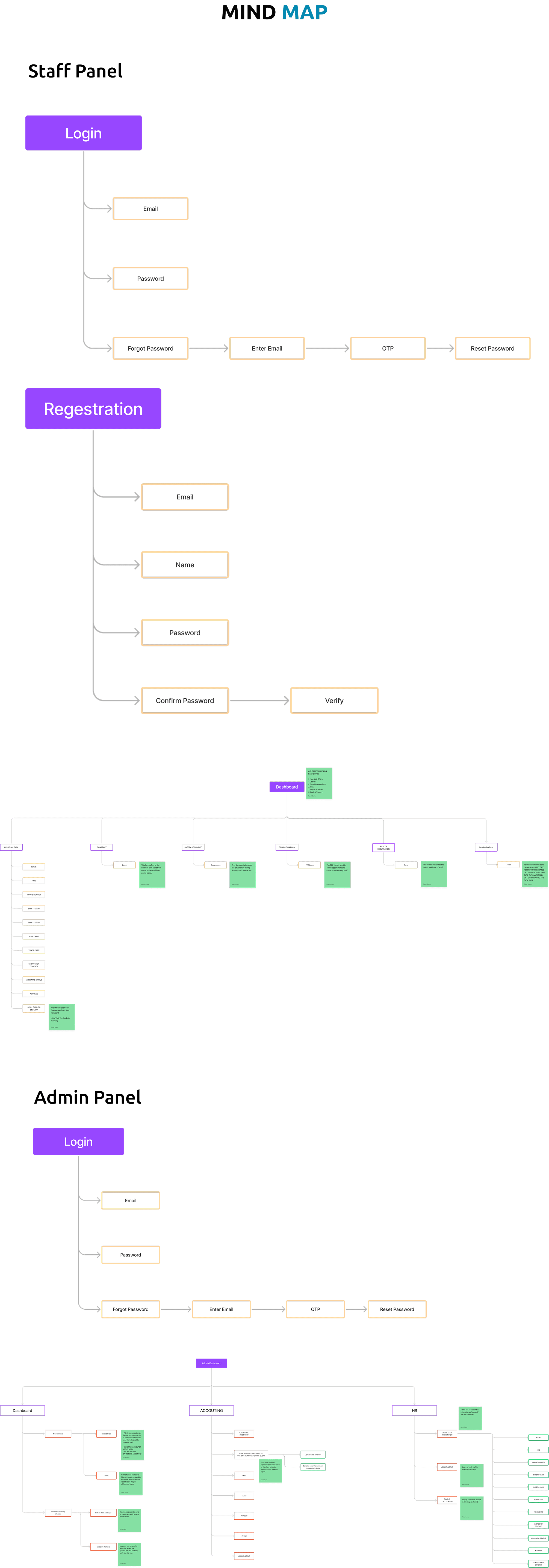
I ran card sorting with the actual admin users before building any wireframe structure. Letting the people who use these workflows every day group the functions themselves surfaced an organisational logic I wouldn't have assumed. The final menu structure Dashboard, Workers (Potential + Current), Clients, Timesheets, Documents, Accounting (with sub-modules), Inventory, and HR came directly from that exercise, not from my assumptions about how an HR system should be organised.
What I Did differently
The notification and blast system the 30-day automated reminders and potential employee outreach deserved its own dedicated UX sprint. I designed it within the broader system scope, but the messaging logic and template management are complex enough to warrant a standalone flow with its own usability testing. It works in the current build, but it's the module I'd go back and invest more research time in.
Solution
What I designed
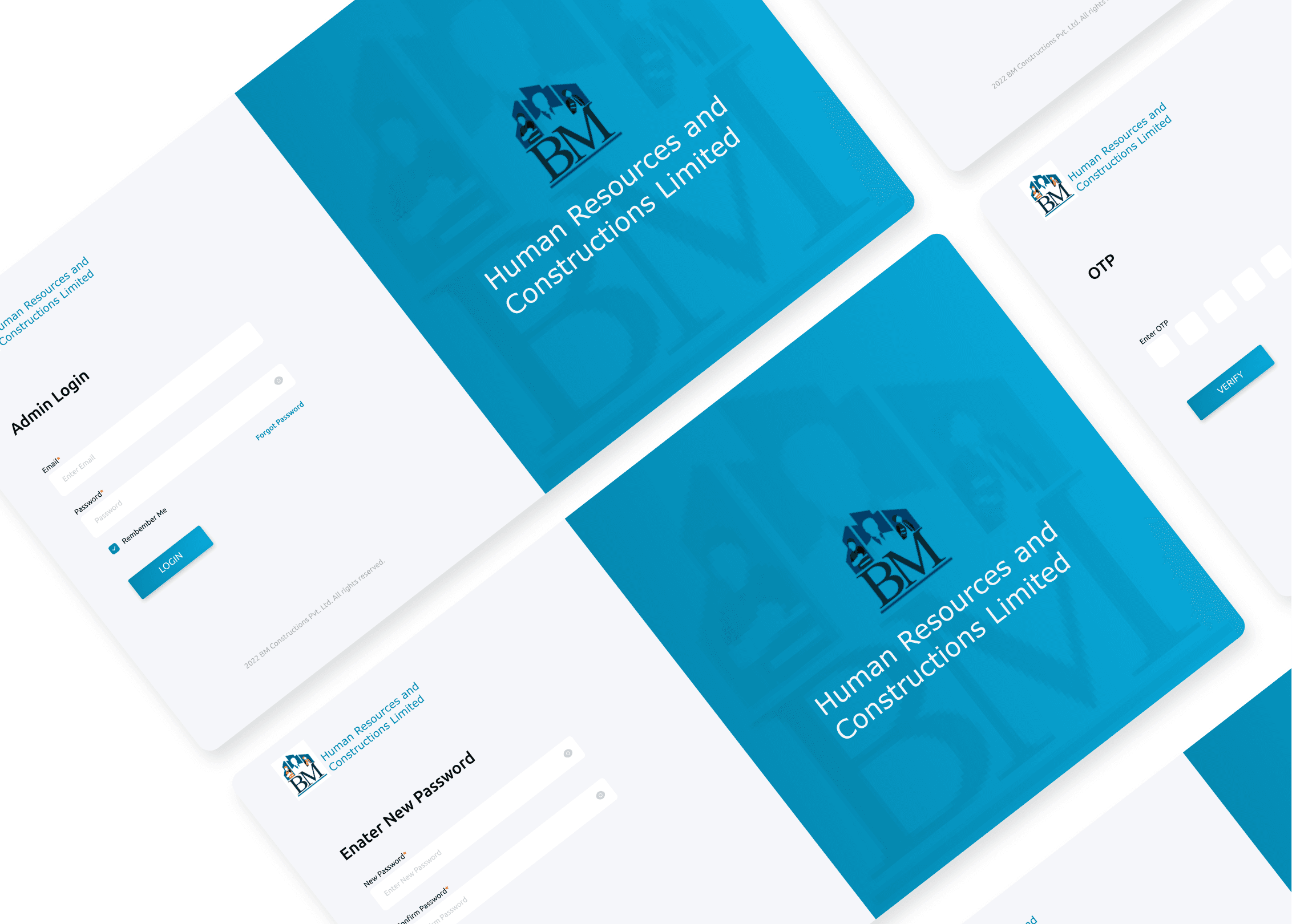
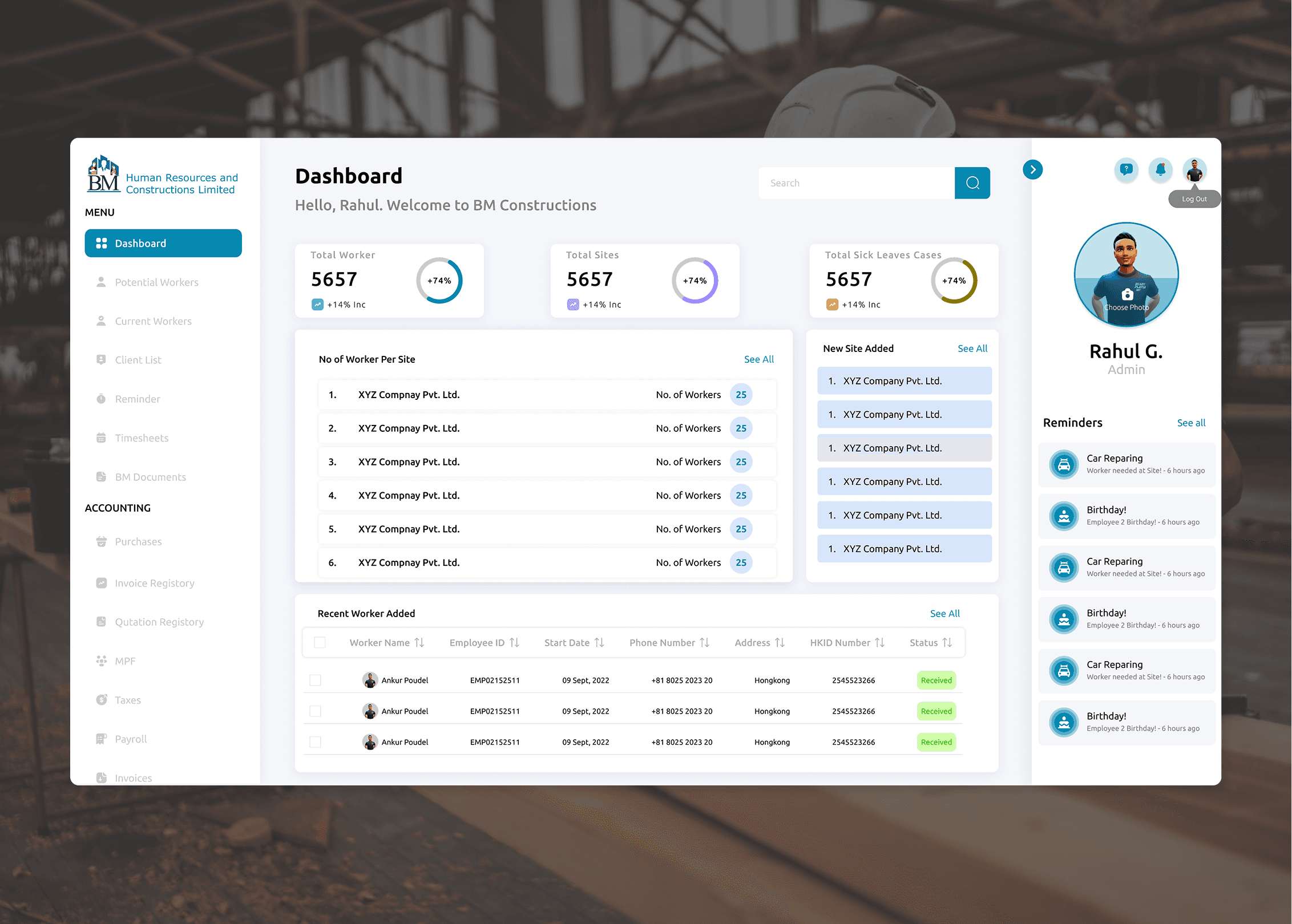
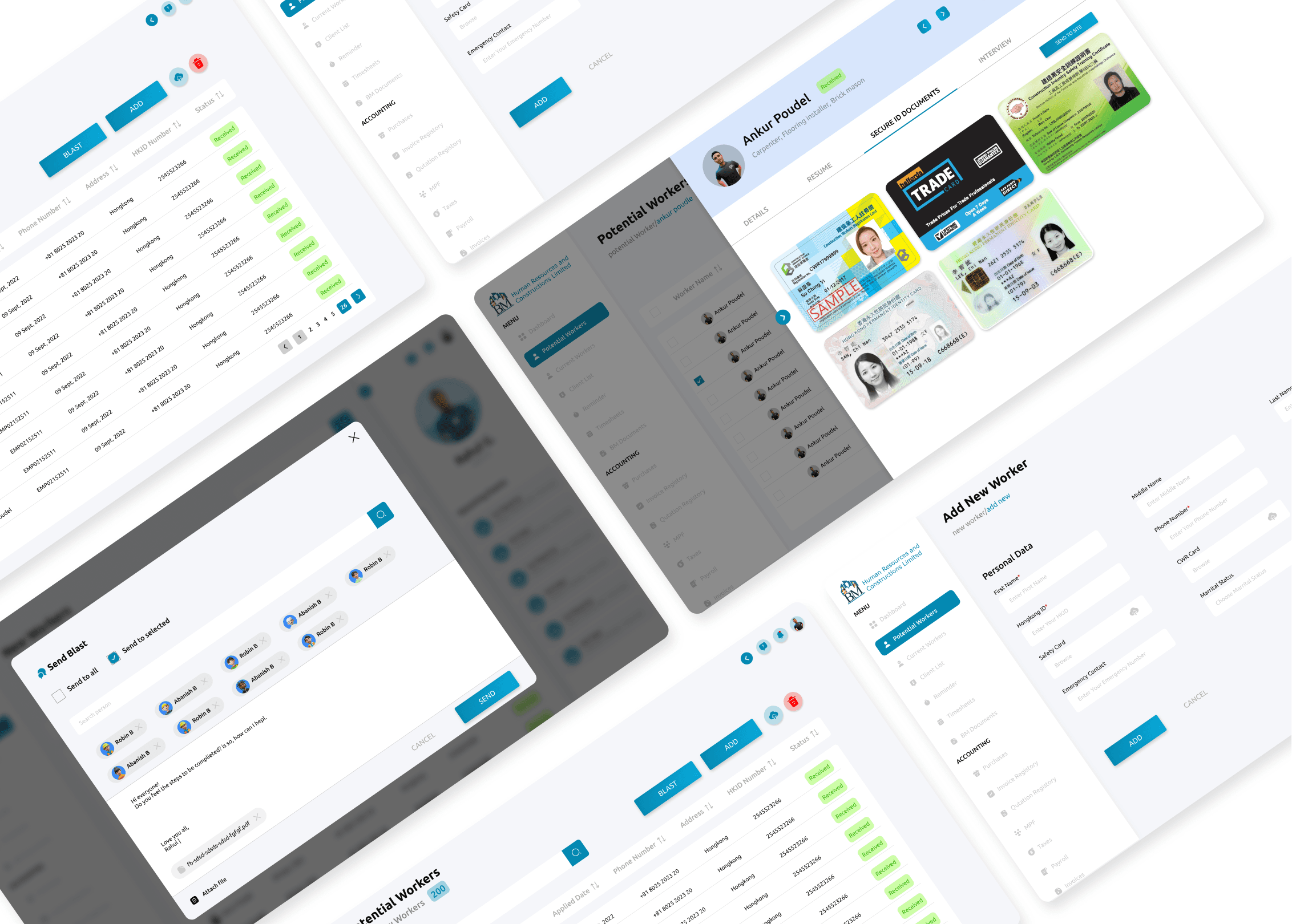
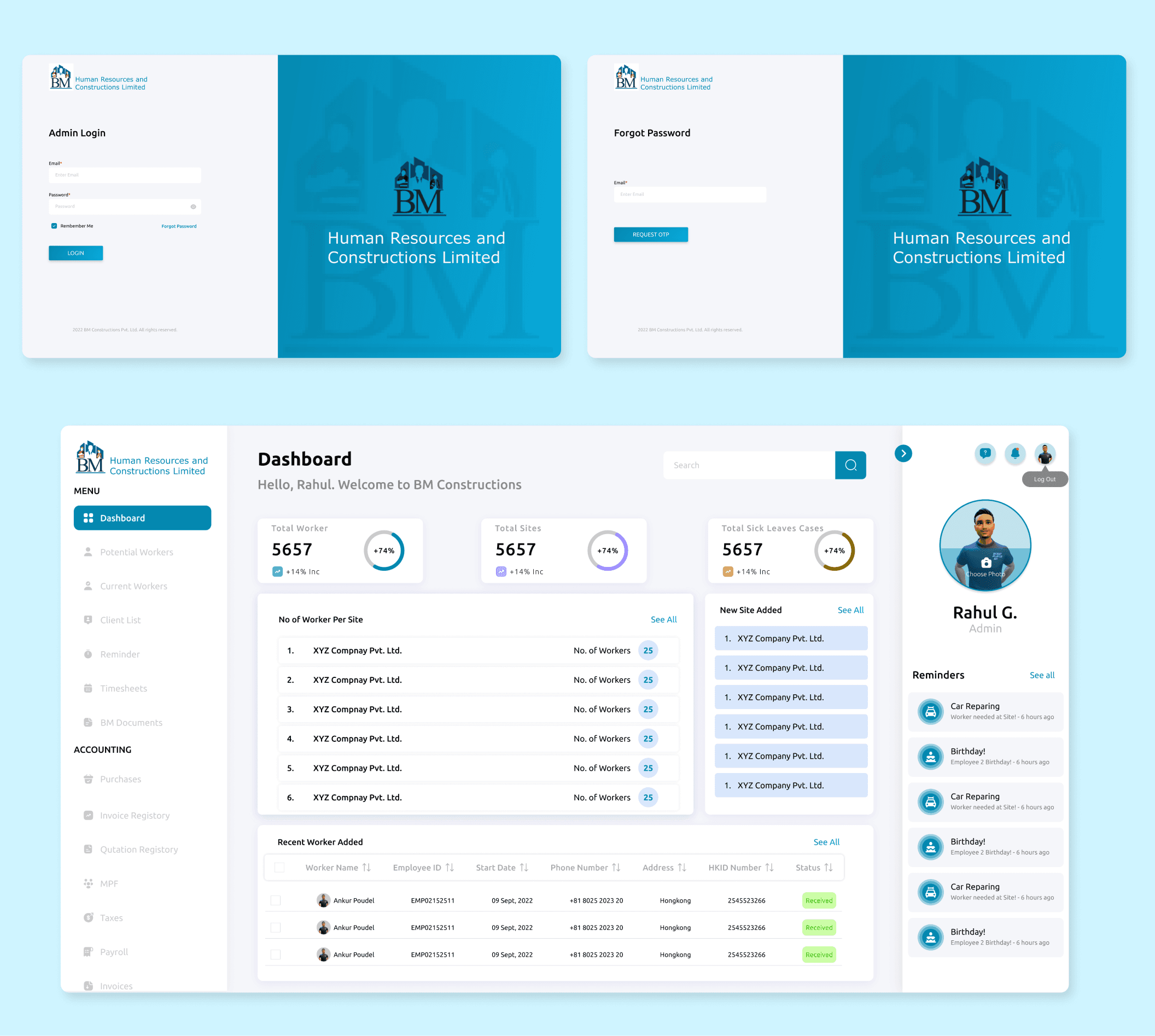
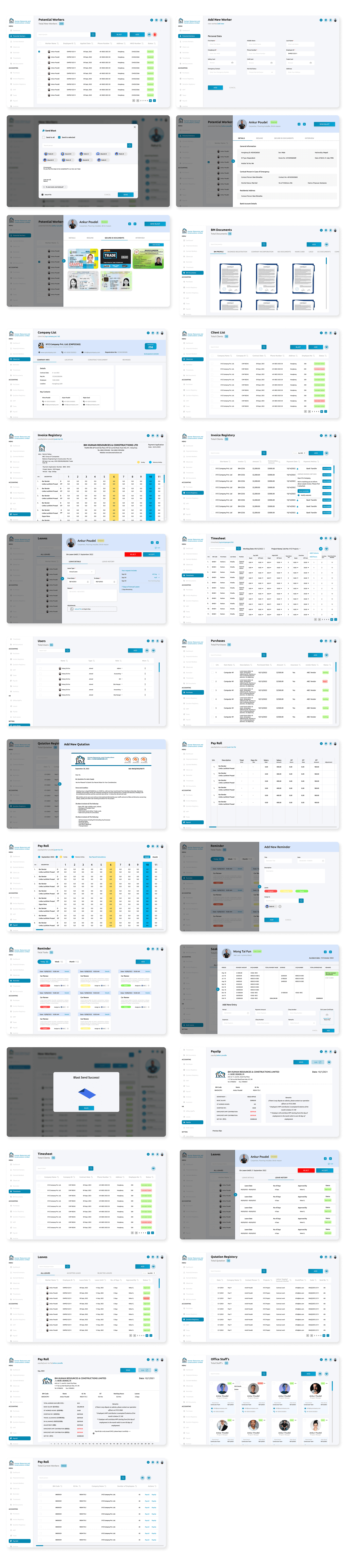
A full web-based admin dashboard with 12 interconnected modules: Dashboard overview, Potential Workers, Current Workers, Client List, Reminders, Timesheets, BM Documents, and a full Accounting suite covering Purchases, Invoice Registry, Quotation Registry, MPF, Taxes, Payroll, and Invoices. Supporting modules include Inventory, and an HR section covering Office Staffs, Leaves, Payslips, Sick Leaves, and User Roles. The design system runs on Ubuntu across all type weights chosen for its readability in dense data tables with a primary blue (#0489B1), secondary purple (#9482FE), and a clean light background (#F5F6FA).
Key design decisions
1. Timesheet as the payroll engine. The timesheet entry screen was designed for speed and accuracy above everything else site managers enter daily hours and OT for each worker, and the system automatically calculates payroll, MPF, and tax obligations from that data. No re-entry, no manual calculation, no reconciliation step. The timesheet feeds every financial output in the system. 2. Dual worker pipeline Potential and Current. The worker management structure separates potential employees from active ones, with a clear rehire pathway for previous workers. Each profile carries the full history contracts, documents, HKID, annual leave status, work history which means the blast notification system can target the right people with the right opportunities without anyone manually pulling a list. 3. Automated 30-day notification system. Client invoice reminders and employee notifications run on a scheduled automation rather than manual triggers. For a business managing multiple construction sites and client billing cycles simultaneously, removing the dependency on someone remembering to send a reminder is the difference between consistent cash flow and chasing payments.
Results & Impact
Quantitative results
12 fully designed and tested modules delivered across a 12-week sprint. Full payroll, MPF, and tax automation built from timesheet inputs. Worker database structured to handle 9,000+ employee records with search, filter, and history access. Usability testing completed with iterative improvements applied before final handoff.
Qualitative outcomes
Usability testing with BM's admin team confirmed that the core workflows adding a worker, entering a timesheet, generating an invoice were completable without instruction. The information architecture validated cleanly against real usage patterns. The automated calculation modules removed the specific source of anxiety that admin staff had flagged most consistently in research: the fear of making a calculation error on an MPF or tax filing.
Business impact
BM now has a system that runs the operational side of a construction labour supply business without manual intervention at every step. Payroll accuracy improves because the calculation chain starts at timesheet entry and ends at a generated payslip with no human steps in between. Client billing becomes consistent because invoice reminders are automated rather than calendar-dependent. And the worker pipeline potential to current to rehire becomes a managed asset rather than a folder of old contracts.
Next Steps
What's next (and why)
The mobile interface for site managers is the highest-priority next phase. Right now, timesheet entry happens on the web dashboard which means site managers on an active construction site are either entering data at the end of the day from memory or finding a laptop in a site office. A mobile timesheet entry flow that works on a phone in the field would improve data accuracy and reduce the end-of-day reconciliation burden significantly.
Open questions / hypotheses
How does the notification blast system perform over time do potential employees respond at higher rates to targeted, history-based outreach than to generic blasts? That data would be available within the first three months post-launch and would directly inform whether the worker pipeline segmentation is adding the value it was designed to add.
Learnings
This project was a reminder that admin dashboard design is its own discipline. The user isn't browsing they're working. Every extra click, every ambiguous label, every module grouped in the wrong place costs real time across hundreds of transactions a week. Getting the information architecture right wasn't a UX nicety on this project, it was the entire job. The visual design came relatively quickly once the structure was solid. Structure always comes first.